
Ambassador rewards, budgeting, and invoicing
Tie points, redeemable items, pay, expenses, budgets, and invoice records to the ambassador work your team reviewed and approved.
Keep incentives and program costs close to the work
A manager can define how ambassadors earn, review submitted costs, watch budget use, and keep the payment record beside the approved activity.
Points and rewards
Issue points for approved work and let ambassadors redeem eligible items from the asset inventory.
Budgets and forecasts
Set program or campaign budgets, then compare expected compensation and costs with approved spend.
Expense review
Collect receipts and notes with a shift or task report so the manager can approve the expense in context.
Invoices and pay records
Build invoice context from approved time, rates, assignments, reimbursements, and payment history.
Read spending beside activity and inventory
Finance records stay linked to the campaign and ambassador work that created them. Physical items can also carry a point value for redemption.
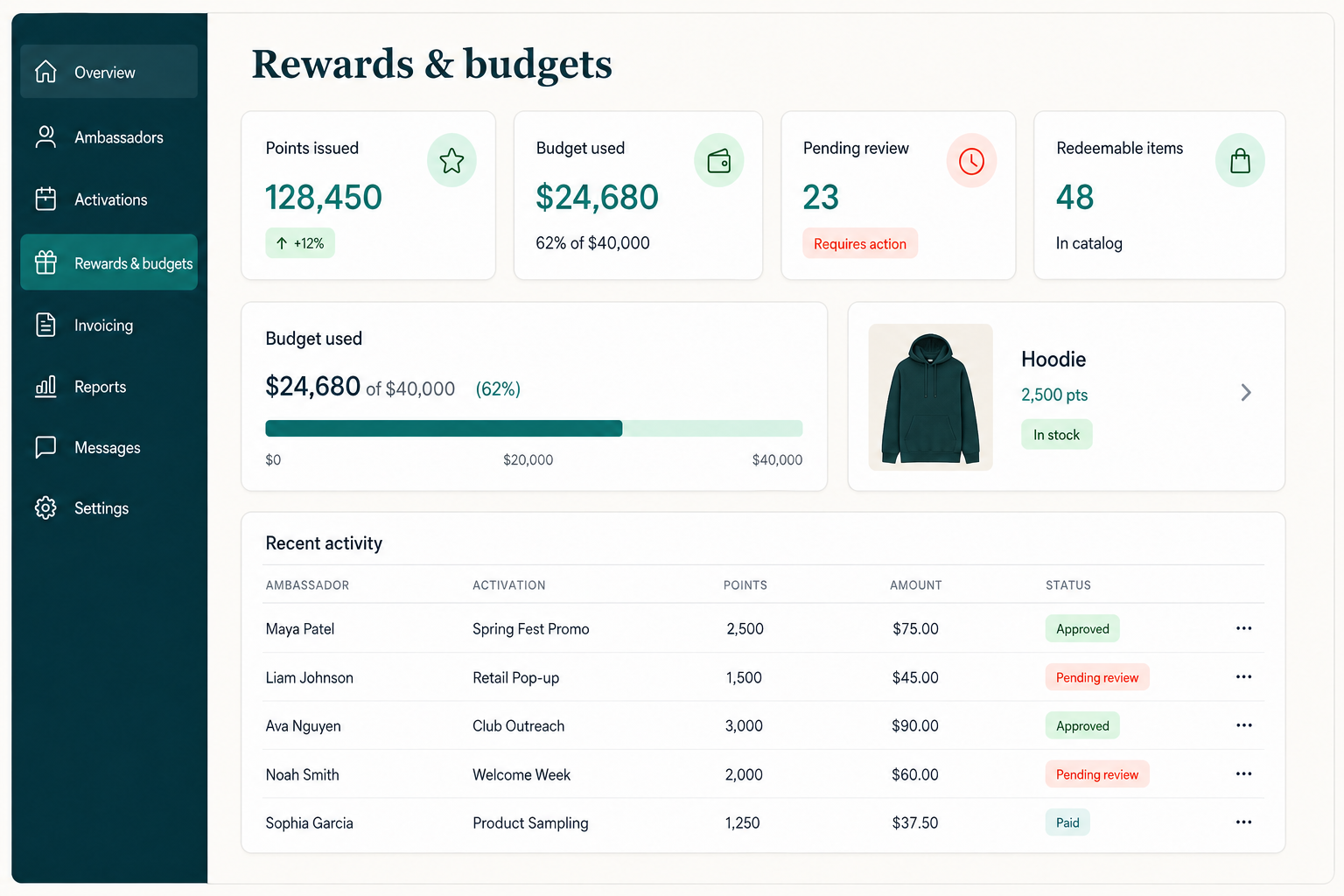
Rewards and invoice records
Keep points, redeemable items, approved pay, expenses, and invoice context attached to the work behind each amount.
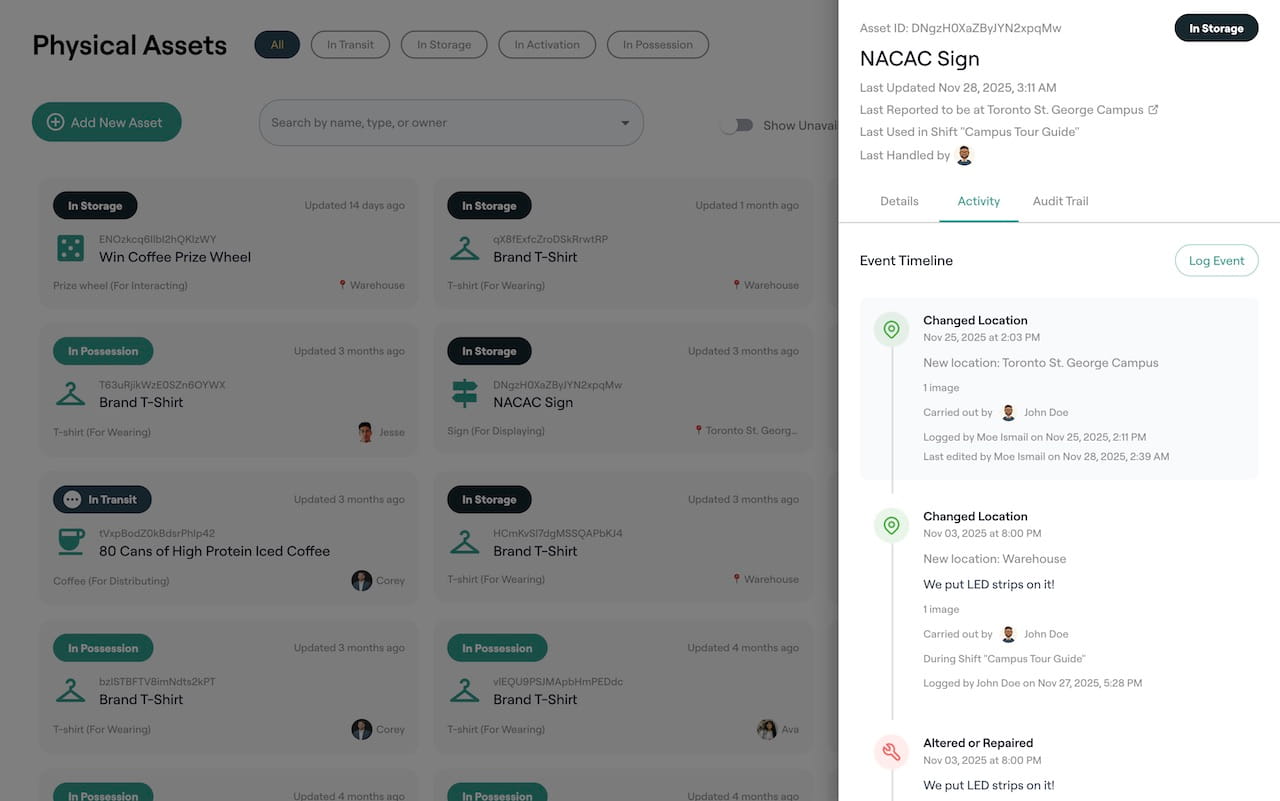
Redeemable items and inventory
Keep merchandise and equipment in the asset inventory, record movement, and allow selected items to be redeemed with earned points.
Reward, budget, approve, and pay from the activity record
Each stage keeps the reason for the cost available to the manager reviewing it.
Set reward and pay rules
Choose points, redeemable items, hourly rates, flat amounts, eligible expenses, and budget limits.
Record completed work
The ambassador submits time, proof, expense details, receipts, results, and the required report.
Review the request
A manager checks the activity, adjusts approved time or expenses, and records the decision.
Prepare the payment record
Approved amounts and supporting context become available for invoice and payment follow-up.
Use the AI colleague to find finance follow-up
The optional AI colleague can find reports with expenses awaiting review, point out missing receipts, identify a budget nearing its limit, and prepare a manager summary. Spending decisions remain subject to the workspace approval rules.
Details available for review
Support several ways to recognize ambassador work
Programs can mix pay, points, items, reimbursements, and recognition according to the assignment and local policy.
Paid field shifts
Use the scheduled duration, reported hours, rate, manager approval, and expense record when preparing payment.
Points and merchandise
Award points for eligible work and offer selected inventory items for redemption from the ambassador app.
Travel and event expenses
Collect the receipt and reason with the assignment, then keep the manager decision in the activity history.
Campaign budgets
Watch planned and approved costs by campaign, location, time period, or ambassador group.
Rewards, budgeting, and invoice questions
Can ambassadors redeem items with points?
Yes. Managers can make selected assets redeemable, set the point cost, and let eligible ambassadors request those items using earned points.
Can CampusThreads track pay for shifts and tasks?
Yes. Pay rules, reported time, approved hours, rates, and assignment details can be kept together for review and invoice follow-up.
Can managers approve expenses before payment?
Yes. Ambassadors can submit expenses and receipts with the work record. A manager reviews the request and records the approved amount.
Can a team track budgets by campaign?
Yes. Program reporting can group scheduled work and spend by campaign so managers can compare activity with the budget they set.
Inspect rewards and spending in the simulated program
Open the sandbox to see points, redeemable assets, field reports, budgets, and approval records. You can start a free workspace when you are ready to use your own data.
Free for up to 100 ambassadors with 1 GB of storage and fair-use limits.