
Brand ambassador scheduling, shifts, and tasks
Plan field work around availability, assign the right people, share the brief, record time, and collect the report from one program workspace.
Give every assignment an owner and a record
Schedules and tasks carry the instructions, location, people, timing, discussion, and completion history that a field manager needs.
Availability-based scheduling
See when ambassadors are available, publish openings, fill roles, and keep conflicting assignments visible.
Group assignments
Assign by region, role, skill, cohort, or a manager-selected group. Multi-person shifts keep the team together.
Task boards
Set an owner, due date, priority, labels, required evidence, dependencies, and a recurring schedule when the work repeats.
Work conversations
Shift chats and task comments keep questions beside the assignment. Notifications bring people back when action is due.
Plan from the manager portal and guide people in the field
The manager can organize scheduled work from a browser. Ambassadors receive the location, brief, teammates, required report, and support contact on their phone.
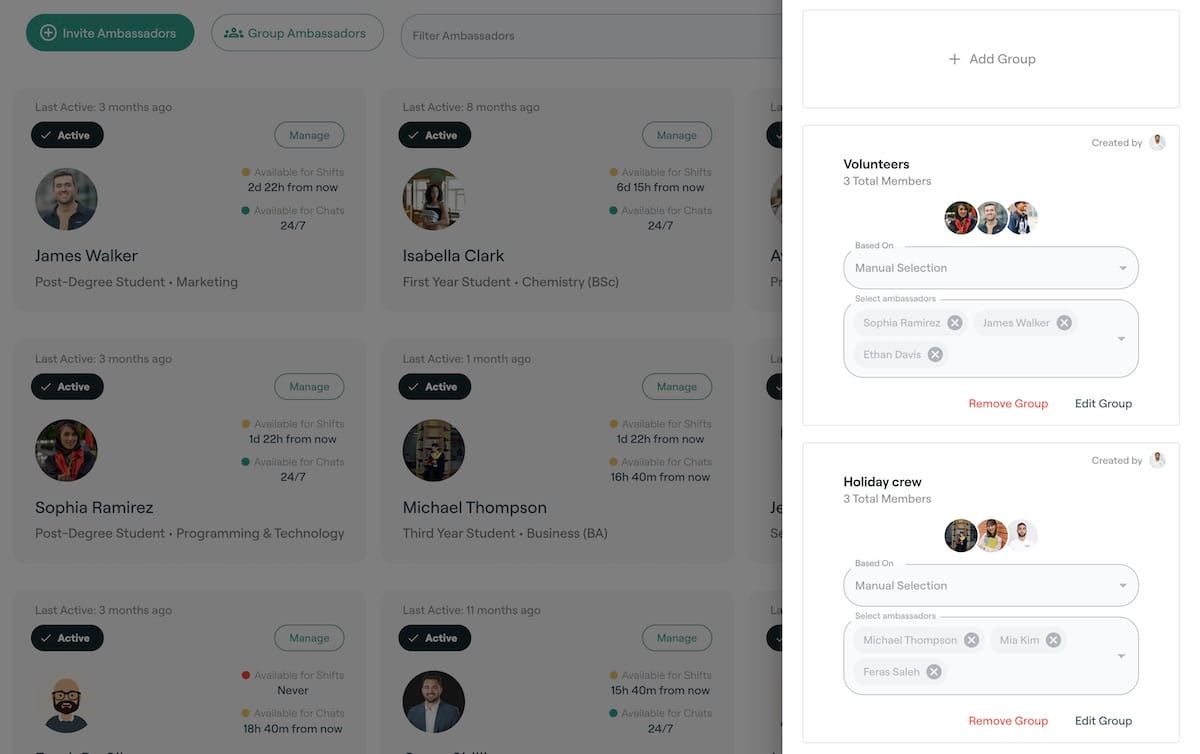
Groups for assignments
Organize people by role, location, skill, cohort, or a manager-selected list, then use those groups for shifts and tasks.
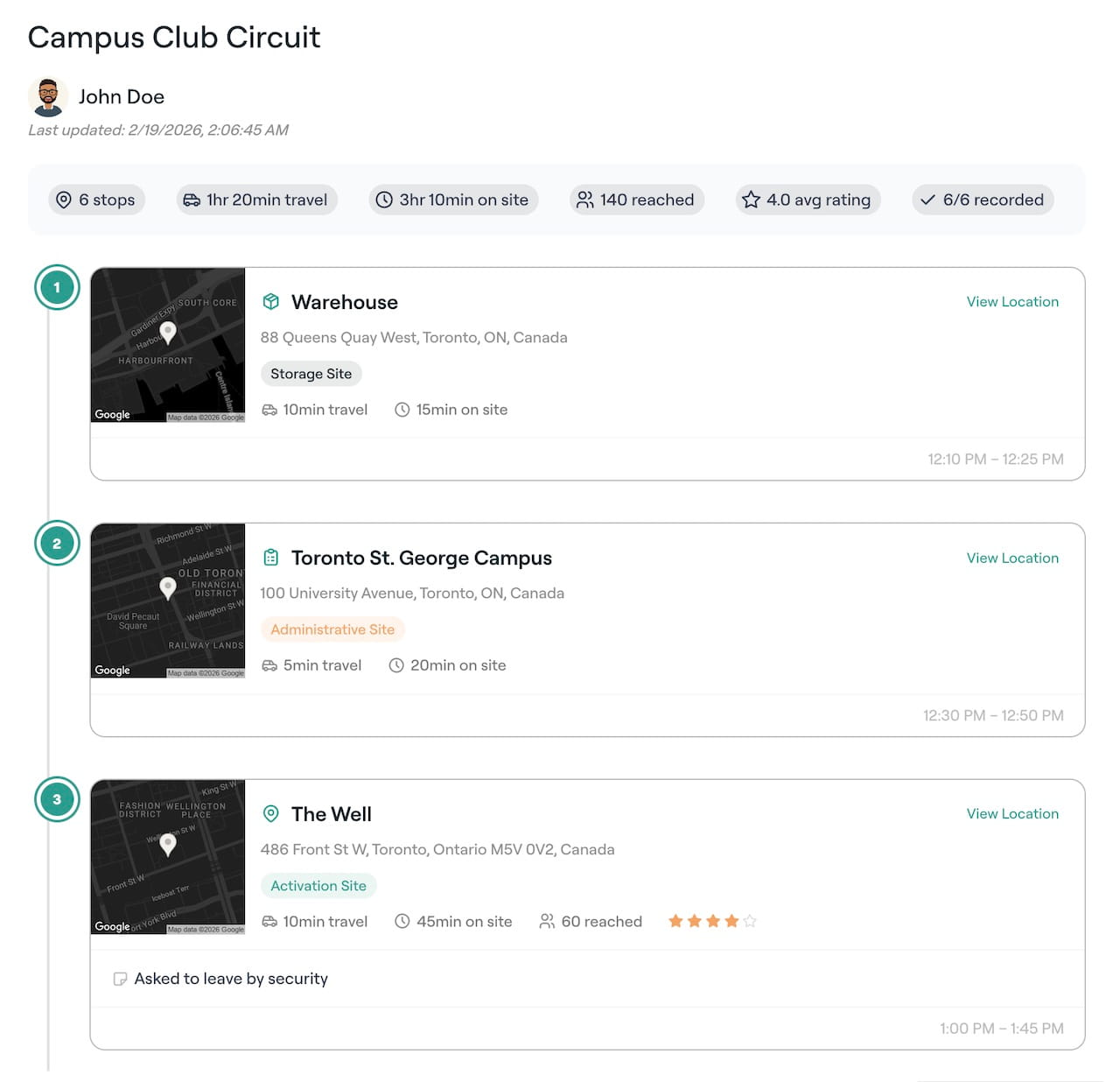
Multi-stop field routes
Give an ambassador a route, expected time at each stop, location notes, reach fields, and a place to record what happened.
Move scheduled work from plan to approved report
Each stage stays available to managers and ambassadors, which cuts down on side messages and missing context.
Publish the work
Choose the date, location, pay rules, openings, instructions, assets, and report requirements.
Fill the assignment
Invite selected ambassadors, allow eligible people to claim openings, or assign a group.
Support the field team
Ambassadors receive reminders, directions, contacts, teammate chat, and the brief before arrival.
Approve completion
Review check-in, time, submitted evidence, expenses, outcomes, and any cancellation request.
Let the AI colleague help with planning and review
The optional AI colleague can find unfilled shifts, prepare a staffing suggestion, identify overdue tasks, and flag a report that misses a stated requirement. A manager chooses whether an action should proceed.
Records kept with the assignment
Schedule the work that happens away from a desk
Field teams can use shifts for fixed-time work and tasks for work completed by a deadline.
Retail and pop-up shifts
Fill a location with the required number of ambassadors, share the brief, and collect a report after closing.
Competitions and interest events
Assign ambassadors to registration, demos, mentoring, judging support, product tables, or follow-up.
Street team routes
Plan stops and timing, then record attendance, reach, notes, media, and issues at each location.
Recurring local work
Create a repeating series for weekly tables, community visits, store checks, or ongoing partnerships.
Scheduling and task questions
Can ambassadors submit their availability?
Yes. Ambassadors can record the times they are available and add specific unavailability slots. Managers can use both while assigning shifts or opening roles for eligible people to claim.
Can a shift have several ambassadors and different roles?
Yes. A shift can include multiple openings, role details, assigned ambassadors, pay information, and a group conversation for the people involved.
Can CampusThreads handle recurring work?
Yes. Teams can create recurring shifts and task templates for work that follows a regular schedule.
How are hours and expenses reviewed?
The ambassador reports time, breaks, expenses, and required evidence. A manager can review the submission before approving the record for payment or invoicing.
Open a field schedule with real program structure
The simulated sandbox includes shifts, tasks, routes, reports, rewards, and ambassador records. You can also start a workspace for your own team.
Free for up to 35 ambassadors with 1 GB of storage and fair-use limits.