
Ambassador training and communication
Prepare ambassadors with modules, quizzes, resources, announcements, read receipts, permissions, and conversations tied to the program they represent.
Give people the information required for the role
Training can be assigned by group and connected to access rules. Managers can see who read an announcement, finished a resource, passed a quiz, or needs help.
Training modules
Build lessons with files, links, video, written material, questions, passing scores, and completion records.
Readiness rules
Require selected resources or modules before an ambassador can claim work or enter a part of the program.
Announcements and messages
Publish updates, collect read receipts, keep internal threads, and reach selected ambassador groups.
Group-based preparation
Assign material by program, location, role, cohort, or a manager-created ambassador group.
Preparation follows ambassadors into the app
Ambassadors can open assigned material, confirm announcements, complete questions, and return to the resources they need during the program.

Announcements with read receipts
Send the update with its attachment, then see who confirmed that they read it and who still needs a reminder.
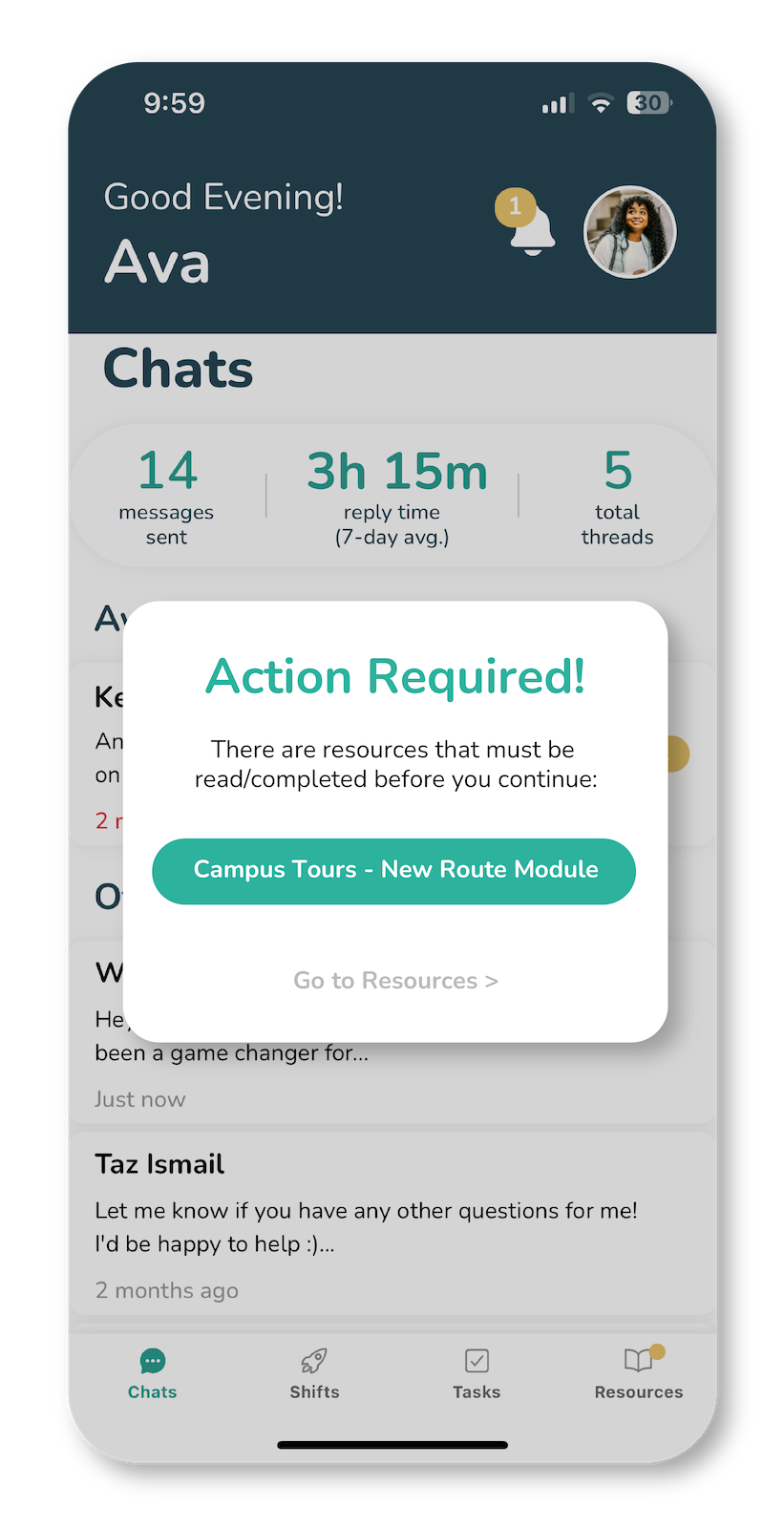
Training-gated access
Place required preparation before selected work so the ambassador sees the material that must be completed first.
Prepare an ambassador for a new assignment
A manager can reuse the material, target it to the right people, and keep completion history with each ambassador.
Create the material
Add the lesson, supporting file, policy, brief, video, link, or reference document.
Assign the audience
Choose every ambassador or select the groups, roles, and people who need the material.
Check understanding
Add questions, a passing score, acknowledgement, or read confirmation when the subject needs a record.
Use readiness in access
Connect completed preparation to selected shifts, tasks, chats, or other parts of the program.
Keep human conversation available when training raises a question
Ambassadors can ask managers and teammates for context inside internal threads. The optional AI colleague can help a manager draft training material or find gaps in preparation. Prospect conversations remain written by the ambassador.
What managers can review
Training can match the work people will perform
A program can keep shared policies in one place and assign specific preparation when a role, event, or audience calls for it.
Product and brand preparation
Cover approved claims, product facts, event goals, display setup, samples, reporting, and questions ambassadors may hear.
School ambassador preparation
Teach tour routes, admissions boundaries, accessibility needs, safeguarding, escalation, and the student experience.
Event-specific briefs
Assign a short module for the venue, run of show, roles, contacts, safety notes, and report due after the event.
Policy acknowledgement
Keep a dated record when an ambassador reads a policy, completes a required module, or confirms an announcement.
Training and communication questions
Can training be required before an ambassador claims a shift?
Yes. Managers can connect selected preparation to access rules so an ambassador completes the required material before proceeding.
Can a module include questions and a passing score?
Yes. Training modules can include questions, quizzes, answers, scoring, and a completion record.
Can managers see who read an announcement?
Yes. Read receipts show which ambassadors confirmed the announcement and which people still need follow-up.
Can training be assigned to selected groups?
Yes. Managers can target resources, modules, announcements, and permissions using ambassador groups and individual assignments.
Give ambassadors a clear place to prepare and ask questions
Open the demo to inspect modules, resources, announcements, permissions, and internal communication from the manager and ambassador views.