Meet the AI colleague for your ambassador program
It reads the records available in your workspace and uses that history when it answers. Ask about earlier activations, ambassador performance, availability, internal conversations, prospect activity, submitted evidence, rewards, or program costs.
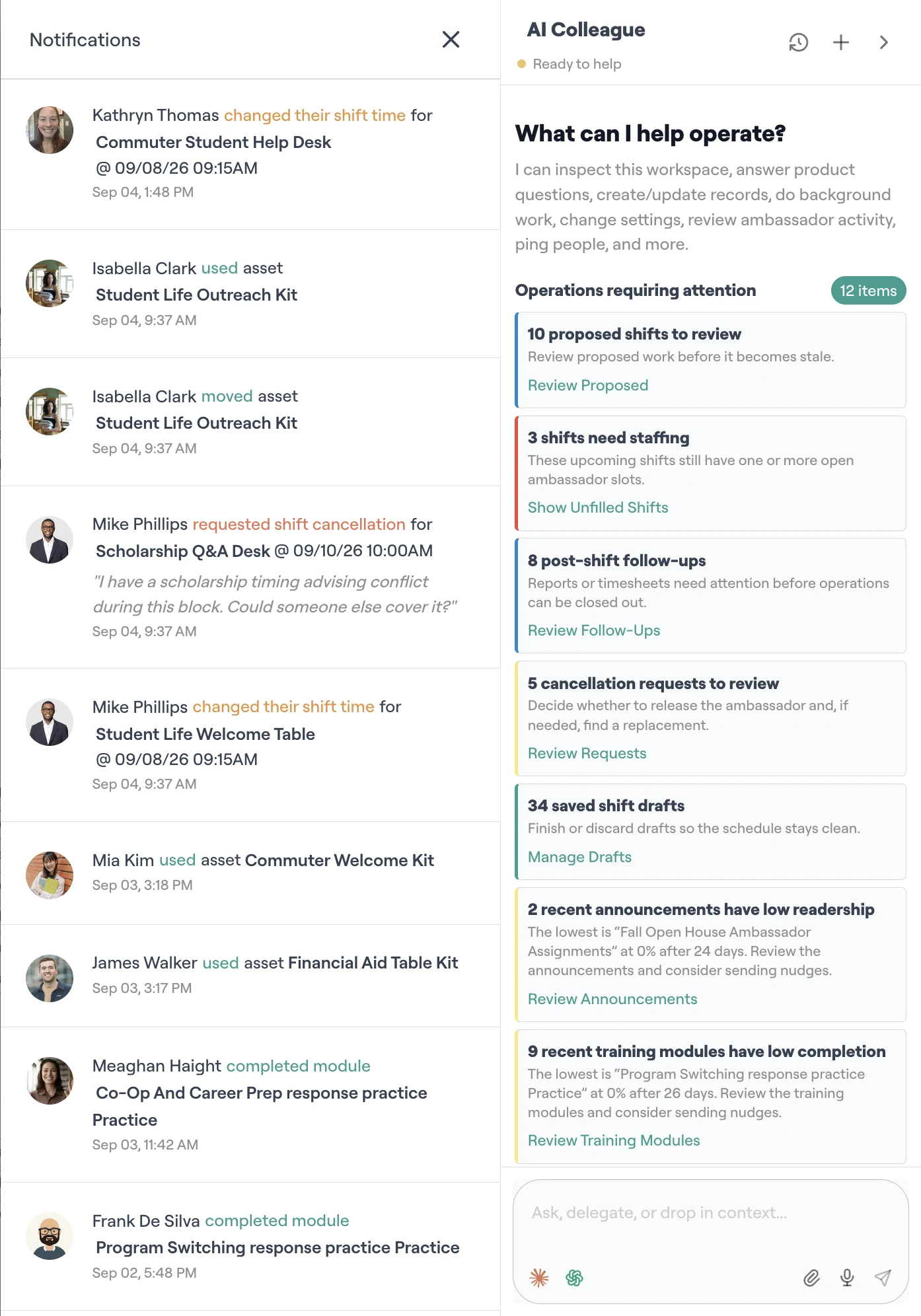
A live feed of work across the ambassador program
The work it can help with
The AI colleague builds context from the records your program already uses. It can connect activation results with ambassador performance, availability, internal conversations, submitted evidence, prospect records, rewards, and costs when answering a question.
Organize candidates around the program brief
Use approved candidate sources and program criteria to sort applicants, prepare outreach, and surface people who need a manager’s review.
Review field reports and submitted evidence
Check required fields, photos, links, hours, and outcomes against the assignment. Missing items can return to the ambassador for follow-up.
Prepare people from current brand material
Turn approved briefs and resources into training material, readiness checks, and practice scenarios tied to upcoming work.
Find coverage gaps and possible field work
Review schedules, past program results, and approved planning sources. Managers receive a draft they can edit before any assignment is created.
Answer questions with the earlier work attached
Ask why one activation performed better, who has relevant experience, or where coverage has been difficult. The answer can draw from the related program records.
Work with approved synced records
Supported connections can bring ambassador or prospect data into the program context. The AI colleague can use the fields your team has approved for that workflow.
Answer ambassador questions and involve a manager when needed
The AI colleague can answer routine questions from approved training, resources, program rules, and relevant workspace records. A question that needs a decision can reach a manager with the related context attached.
It builds context from work across your program
The AI colleague reads every workspace record that its permissions allow. Its answers can bring together results from earlier activations, internal conversations, ambassador performance, availability, field activity, prospect records, training, submitted evidence, rewards, expenses, and approved synced data.
The context stays inside your workspace. Source records remain attached to an answer so a manager can open them and check the details.
Ask who is ready for Saturday's activation, how similar events performed, and which follow-up needs a manager.
Managers review sensitive proposed actions
An authorized manager reviews proposed candidate decisions, reward or expense changes, and messages addressed outside the workspace. Routine analysis and answers inside the workspace follow the permissions and sources set by your team.
What the approval step covers
The AI colleague prepares the action and its supporting context. An authorized person decides whether it should proceed.
Add the AI colleague to a free brand workspace
Brand software is free for up to 100 ambassadors and 1 GB of storage. AI access is a paid add-on because model usage carries a direct operating cost.
Watch the AI colleague work in the simulated sandbox
The simulated sandbox uses sample brand data, so you can inspect the workflow before opening your own workspace.