

Student ambassador rewards, budgets & analytics
Recognize contributions and understand what your program delivers
Reward ambassador contributions, manage program spending, and review recruitment activity. Keep points and compensation connected to the visits, events, chats, and tasks behind them.
Recognize the work your ambassadors contribute
Set rewards for completed training, campus visits, tasks, or peer chats. Ambassadors can see their progress and earn points when they meet the criteria your team chooses.
Choose what earns a reward
Recognize completed assignments or set a target for a group of ambassadors. You choose the eligible work and the reward.
Give points a use
Offer campus merchandise, gift cards, or other catalog items. Set the point cost and available quantity, then manage redemption requests.
Complete the assigned preparation modules before welcoming prospective students.
Points and merchandise rewards can also support volunteer ambassador programs.
Review pay and expenses with the work that earned them
For paid programs, keep reported hours and compensation with each assignment. Ambassadors can submit receipts and expense notes for staff to review before payment.
Check the approved hours
Review reported time against the scheduled shift and keep the approved amount in the ambassador’s record.
Keep the receipt with the request
Review travel or event expenses alongside the report. Approved amounts remain available for invoice and payment follow-up.
The shift, report, and approval history stay attached to the payment record.
See program spending alongside participation and results
Compare planned costs with approved spending, then review the work behind those amounts. Report on visits and recruitment events alongside peer chats, community activity, and prospect referrals.
Check upcoming commitments and approved expenses before assigning more work.
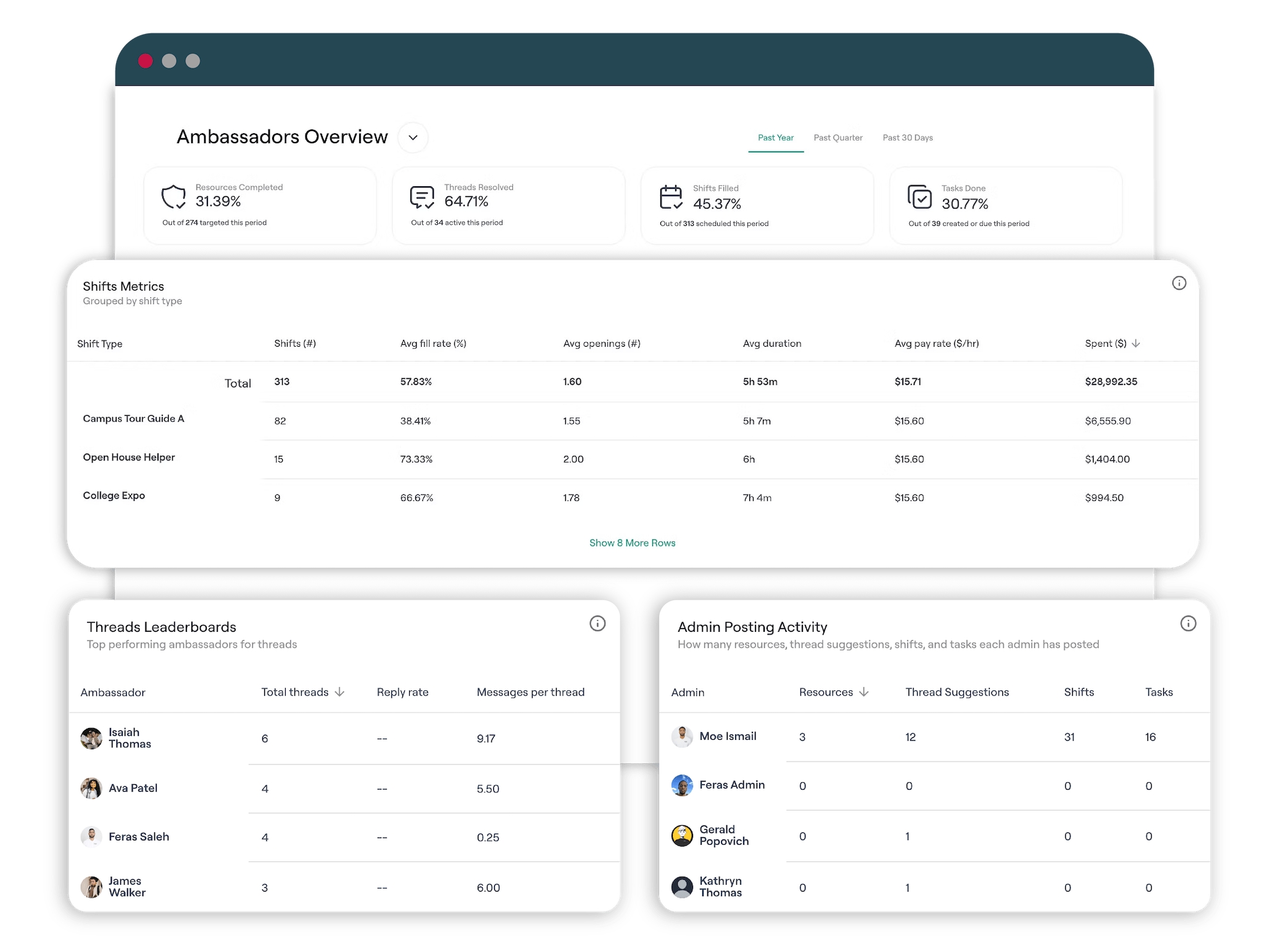
Read the work behind each result
Review ambassador activity and prospect engagement with the costs attached. Open the supporting records to see who completed the work and what happened.
Track Performance
Monitor chats, tasks, shifts, and community engagement across different cohorts and cycles
Exports for other systems
Download prospect and program records for another system or an internal report.
CRM Integrations
Map approved prospect fields into Slate, Salesforce, or a Zapier workflow.
Ask the AI colleague about current program records
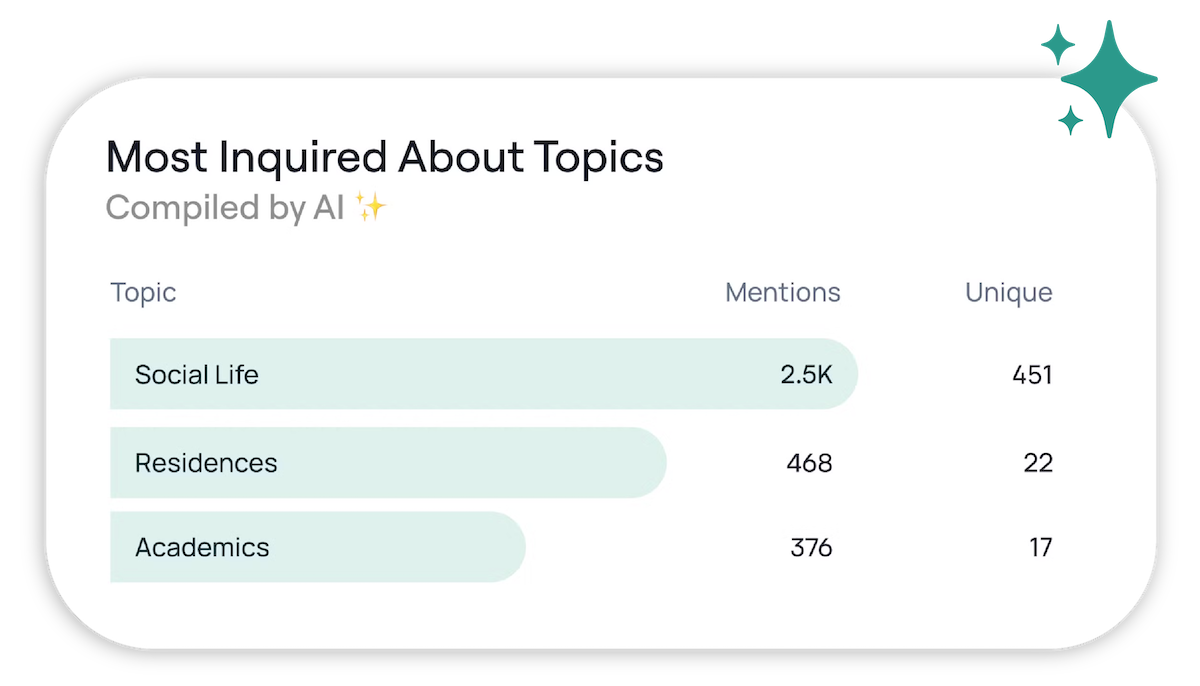
Ask the AI colleague about current ambassador activity or program spending. Find expense requests awaiting review, check reported work, or ask for a summary of questions coming up in peer chats.
Staff can review the supporting records before following up. Reward and spending decisions remain subject to your program’s approval rules.
Questions about rewards, budgets, and analytics
Can we reward ambassadors for training and peer chats?
Yes. Rewards can use completed training, tasks, shifts, and chat activity as criteria. Choose the work and eligible ambassadors, then set a points or monetary reward for meeting the requirements.
Can ambassadors redeem points for campus merchandise?
Yes. Add eligible physical or digital items to the rewards catalog, set their point cost and available quantity, and manage redemption requests. Ambassadors use the points they have earned to request available items.
Does this work for volunteer ambassador programs?
Yes. Volunteer programs can use points, catalog items, and recognition for ambassador contributions. Wage and payment features are hidden in volunteer mode.
How are pay and expenses reviewed?
For paid programs, staff can review reported hours, rates, and submitted expenses against the assignment. Receipts and approval history stay with the work record for invoice and payment follow-up.
How does budget tracking work?
Set a program budget and compare planned costs with approved spending. Review compensation and expenses alongside the ambassador assignments that created those costs.
What can we report on or send to our CRM?
Review ambassador activity, completed assignments, peer chats, prospect referrals, and the prospect information your school collects. Filter the records before exporting them, or map approved prospect fields into a Slate, Salesforce, or Zapier workflow.

Explore rewards and reporting in a working program
Take the interactive tour to explore ambassador work and program records. Book a walkthrough to discuss rewards, compensation, and reporting for your school.