
Student ambassador scheduling for visits, events, and tasks
Plan campus visits, staff events, and assign everyday work around student availability. Keep registration, shift details, task updates, and completed work with your ambassador program.

Schedule the work your ambassadors do
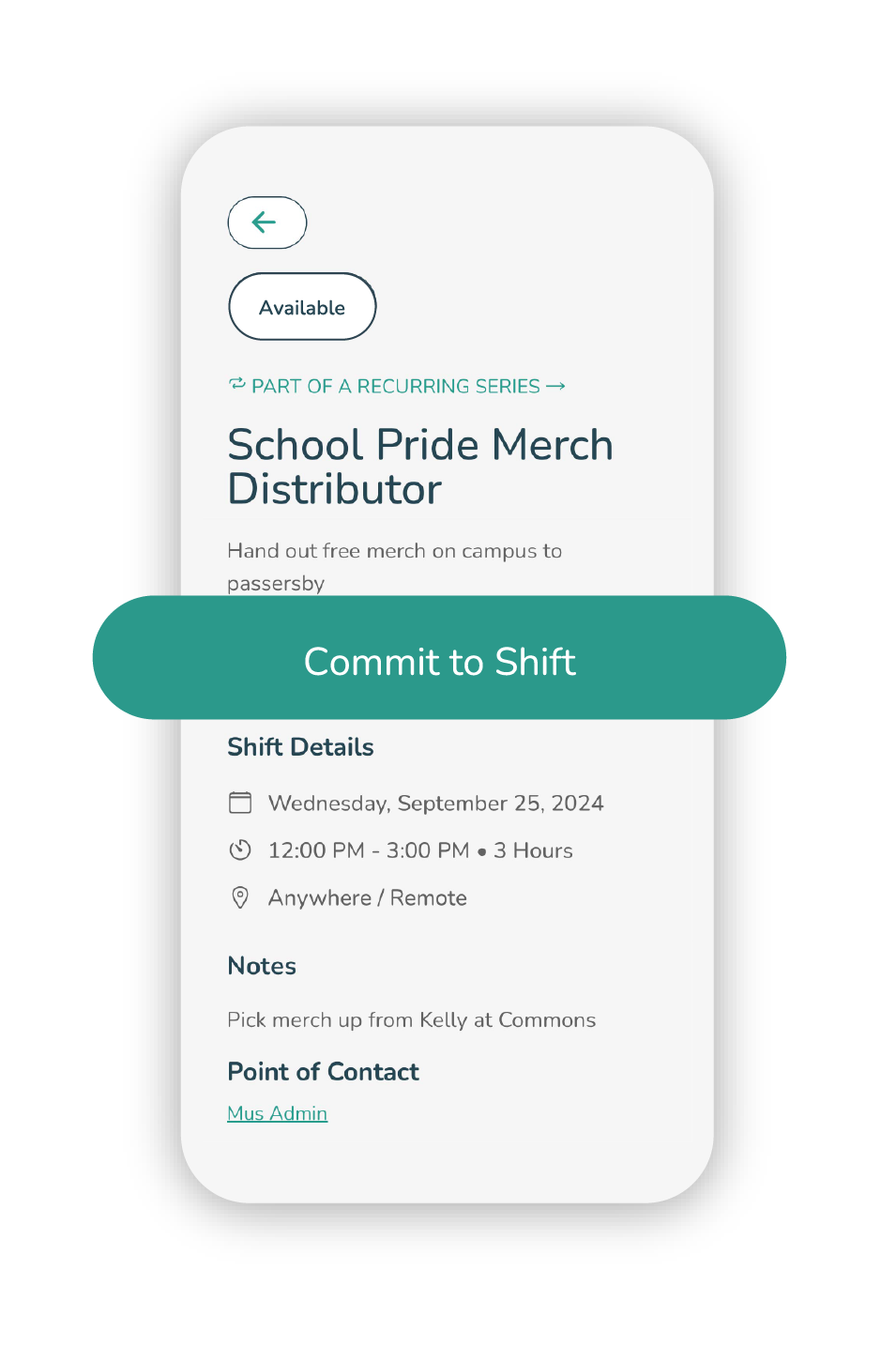
Students submit their availability and time off. Staff can assign work to individuals or groups, or leave shifts open for available ambassadors to claim. Each assignment carries its instructions, updates, and completion record.
Availability and conflicts
Plan around classes and time off. Check overlapping assignments and connected Google Calendar free/busy information before assigning guides.
Recurring shifts
Set up work that repeats, assign ambassadors, and send reminders. Students can review and claim available shifts from the app.
Tasks and updates
Assign a due date and priority, share instructions, and follow progress through comments and status updates.
Visits and events
Connect registration and attendance to the ambassadors staffing a campus visit, open house, or recruitment event.
What the scheduling record covers
Review availability, assignment details, task progress, reported time, and costs. Select a screenshot to see it at full size.
Availability and the calendar
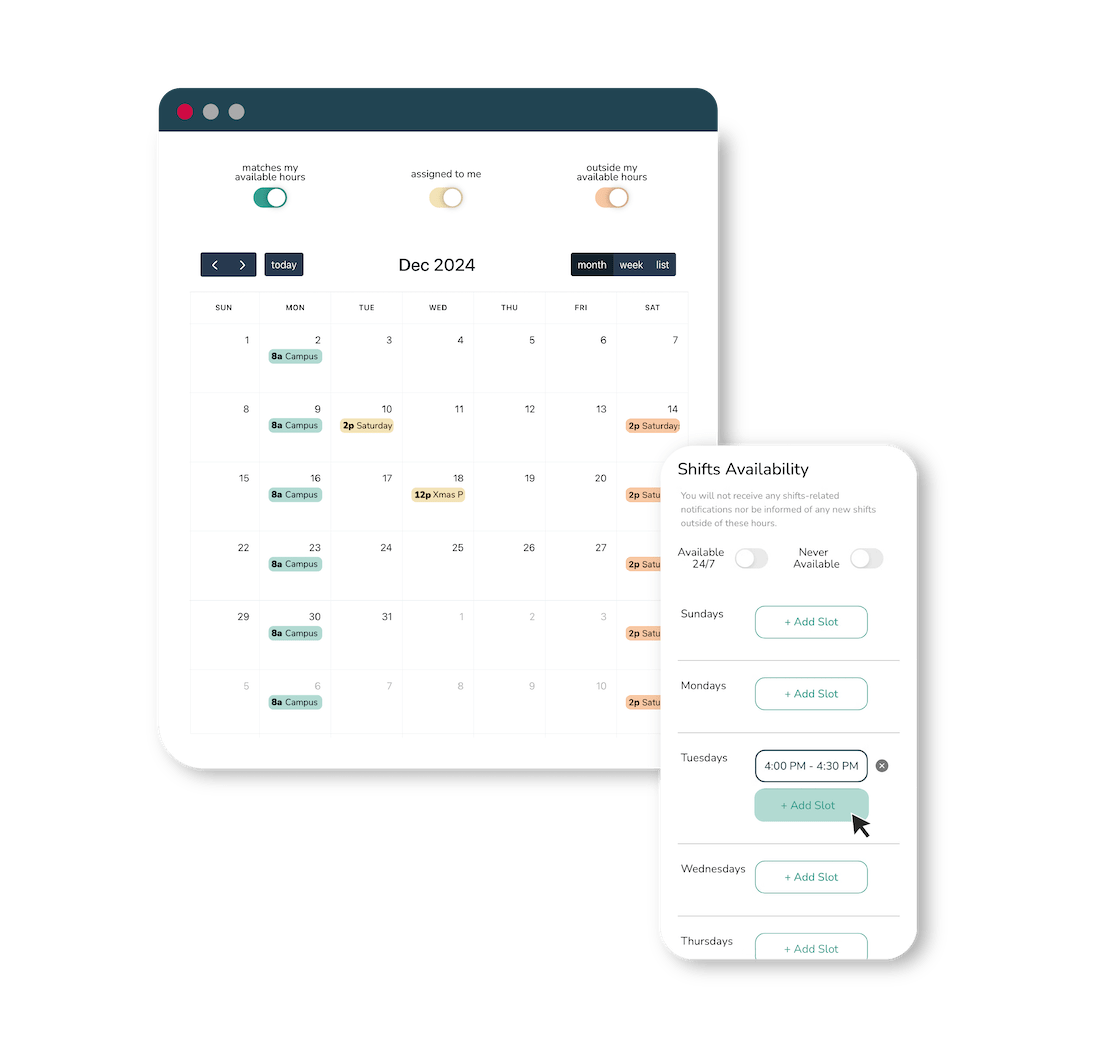
Ambassadors can review their assignments and set the hours they are available for shifts.
Assignments and shift details
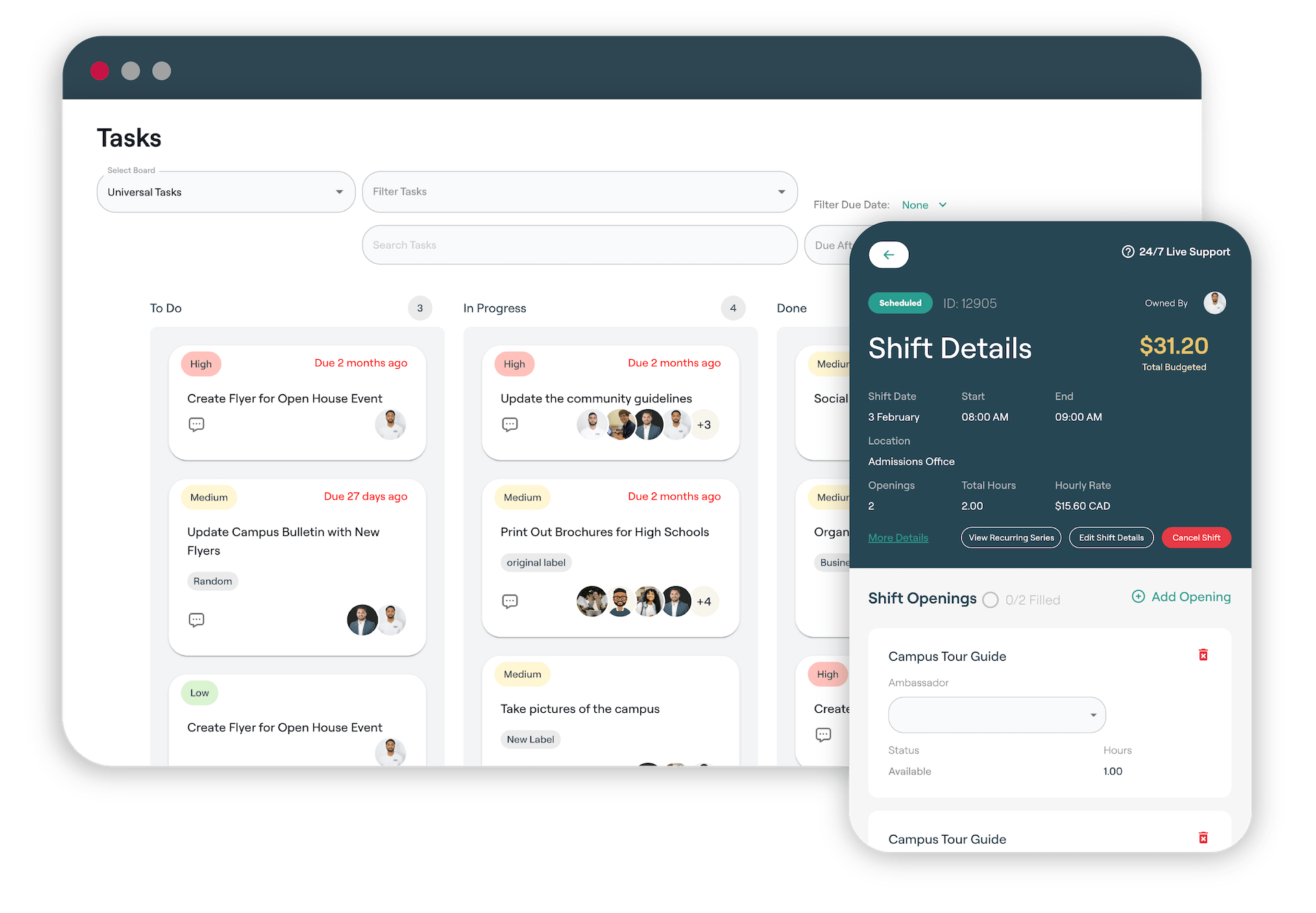
Keep the location, openings, assignees, hours, and budget with the work that staff need to manage.
Progress and completed work
See which tasks need attention, read updates from assignees, and review the work they have finished.
Manage campus visit registration and attendance
Publish visit options and let prospective students register with their party. Staff can manage capacity and waitlists, check in visitors, and record walk-ins or no-shows.
- Public calendars with month, week, day, and list views
- Custom registration questions, visitor instructions, and reminders
- Capacity, party-size, waitlist, and walk-in controls
- Scheduled, appointment-style, virtual, hybrid, and self-guided visits
- Guide profiles and selection using approved interests and program information
Keep guide staffing connected to each visit
Choose guides using their availability, interests, and preparation. The visit record retains attendance and feedback so staff have context for their next conversation with the prospect.
- Availability, time-off blocks, and double-booking checks
- Training requirements and guide readiness
- Visit details, virtual meeting links, and self-guided content
- Post-visit surveys, ratings, and feedback
- Prospect records, exports, and CRM/JRM handoff
Common scheduling use cases
The same availability and assignment records support recurring work during the term and events that need extra staff.
Campus visits and open houses
Match guides to visitors, staff check-in, share the visit plan, and collect feedback afterward.
Admissions office shifts
Schedule recurring front-desk shifts around class availability so ambassadors can welcome visitors and answer questions in the admissions office.
Digital outreach and chats
Assign outreach tasks and social media takeovers. Ambassadors can set separate chat availability for conversations with prospective students.
Recruitment events
Assign roles for fairs and webinars, send event instructions, and review the hours and reports submitted by ambassadors.
Give ambassadors the details before work starts
Ambassadors can check assignments, claim shifts, read instructions, and post updates from the app. Managers can send reminders, share changes with a group, and require training before selected work.
Review completed work and program costs
Staff can review task status, reports, and recorded hours. For paid programs, shift compensation and budget records help managers track costs.
Scheduling and campus visit questions
Can ambassadors set their own availability?
Yes. Ambassadors can enter available hours and time off. They can also set separate chat availability for conversations with prospects.
How do recurring shifts work?
Managers can create work that repeats daily, weekly, monthly, or at another interval. They can assign it to ambassadors or groups, or leave openings for available ambassadors to claim.
How do staff follow task progress?
Tasks can include assignees, instructions, due dates, and priorities. Ambassadors post comments and update their status so staff can see what needs attention and what is complete.
Can we track compensation and budgets?
Yes. Paid programs can track shift compensation, recorded hours, and program costs.
Which campus visit formats are supported?
Schools can manage scheduled, appointment-style, virtual, hybrid, and self-guided visits. Registration questions, capacity rules, waitlists, and reminders can be set for the visit.
Can prospective students choose a student guide?
Schools can publish guide profiles with approved information and let visitors discover or select guides using interests and program details.
How does scheduling check for guide conflicts?
Guide assignment can account for availability, time-off blocks, overlapping assignments, and connected Google Calendar free/busy information.
Does visit activity connect to recruitment follow-up?
Registration, attendance, guide selection, surveys, and inquiries can stay with the prospect record. Staff can export the information or pass it into CRM/JRM processes.
Can we introduce visit management in phases?
Yes. Schools can introduce visit management in phases and choose when to add other parts of the ambassador program.
Keep schedules, tasks, and completed work together
Explore scheduling and visit management from the staff and ambassador views.