

Student Ambassador Chat Software
Keep peer conversations human and give your team clear oversight
Connect prospective students with trained ambassadors through planned, moderated conversations. CampusThreads keeps those conversations tied to the program, preparation, and staff support behind them.


Help prospects continue a conversation with current students
Give prospective students a direct way to ask trained ambassadors about campus life, programs, visits, and the questions that depend on lived experience.
Direct Student Engagement
Prospective students can connect with ambassadors in seconds.
Smart Assistance for Ambassadors
With AI-generated suggestions derived from your school’s data, ambassadors are always equipped to answer accurately and promptly.
Centralized Administration
Monitor, assist, and reroute conversations to subject matter experts with our user-friendly admin tools.
CampusThreads Ambassador App
Our mobile app allows your ambassadors to easily respond to your prospect on the go. Available on IOS and Android.
How ambassador chat works

Prospects visiting your website are invited to chat via a active pop-card or embedded widget.
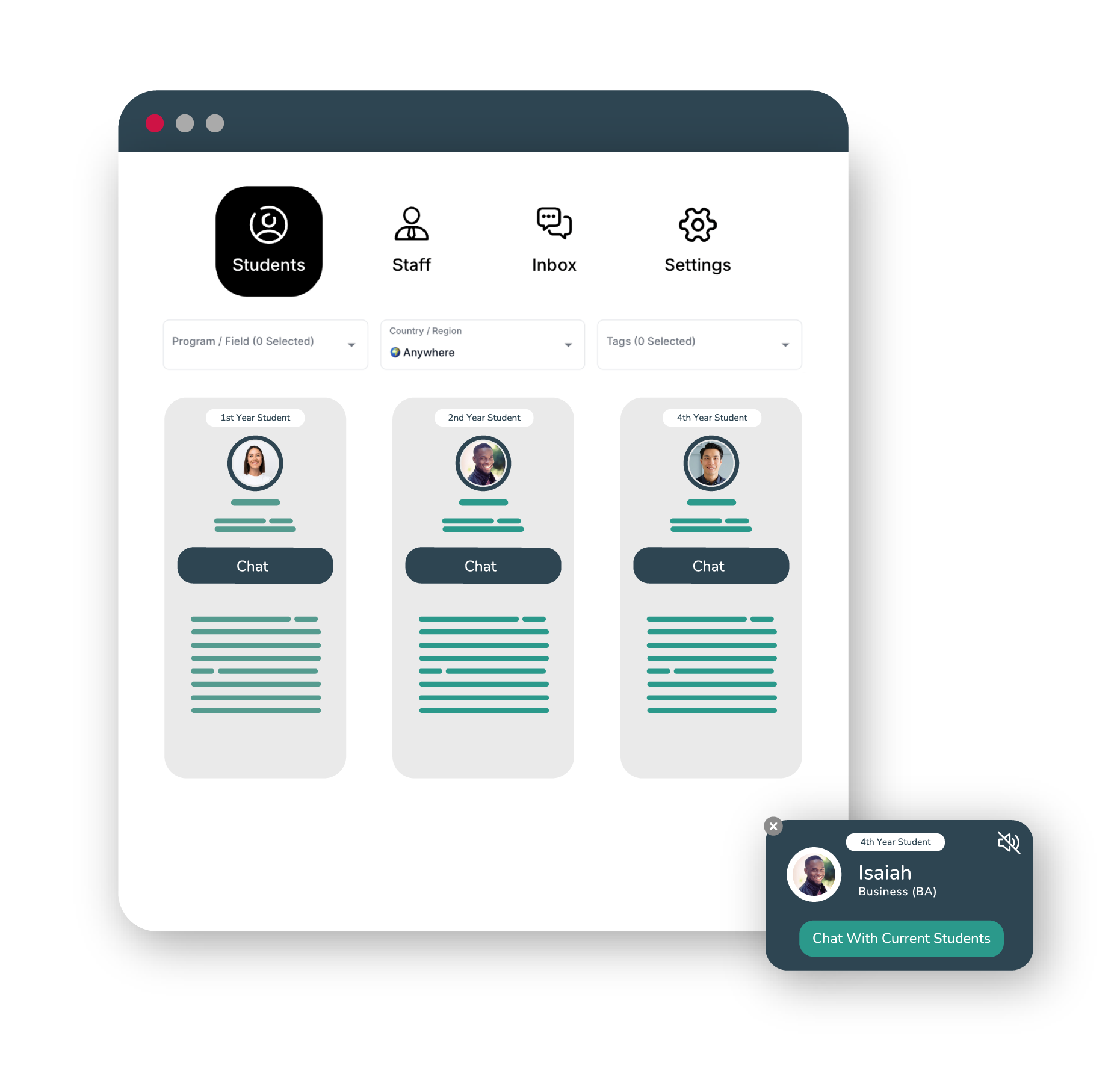
They can choose an ambassador who matches their interests, such as academic programs, extracurricular activities, or cultural background.

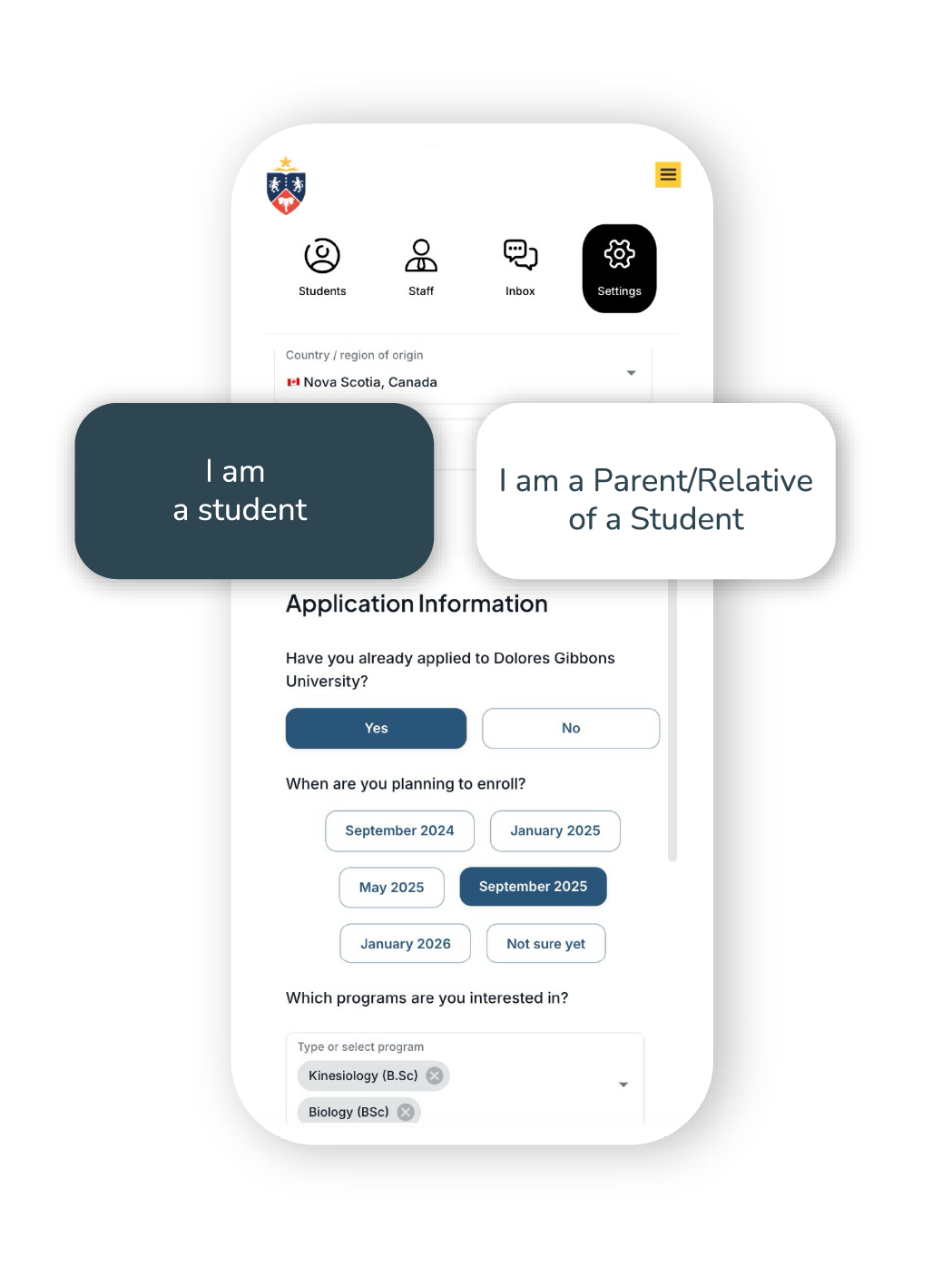
The prospect is prompted to input some general information and then the conversations begin instantly.
You decide what information is most valuable to collect from prospective students.

With AI support and admin oversight, you can be sure that your ambassadors are representing your school the way you need.
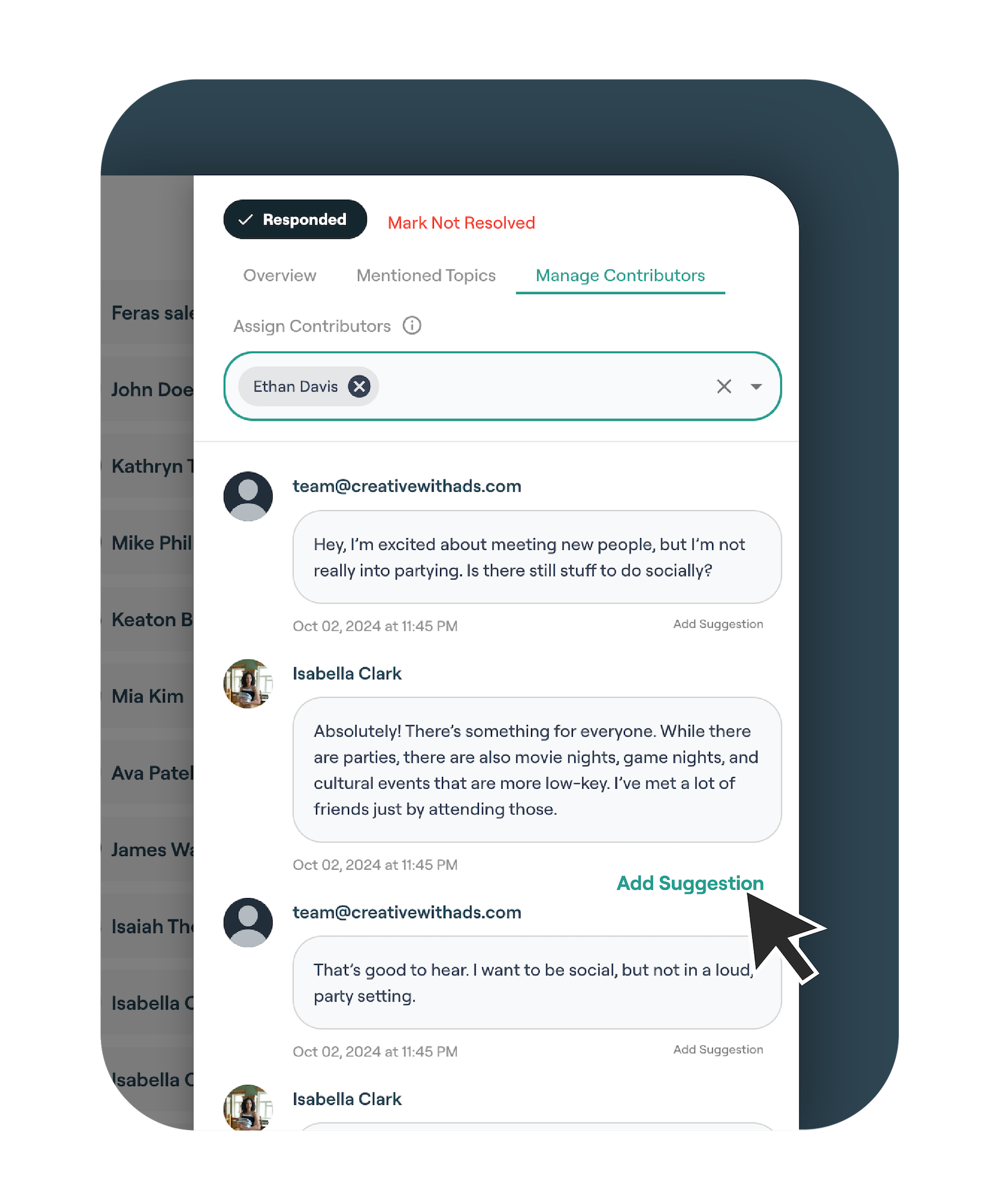
Automated checks can flag messages for staff review while the ambassador remains responsible for the reply.
Prospects visiting your website are invited to chat via a active pop-card or embedded widget.
They can choose an ambassador who matches their interests, such as academic programs, extracurricular activities, or cultural background.
The prospect is prompted to input some general information and then the conversations begin instantly.
You decide what information is most valuable to collect from prospective students.
With AI support and admin oversight, you can be sure that your ambassadors are representing your school the way you need.
Automated checks can flag messages for staff review while the ambassador remains responsible for the reply.
Collect the context your recruitment team needs
CampusThreads goes beyond ambassador chat management, it’s also a highly effective lead generation tool for higher education institutions. Our attention-grabbing pop-card and embedded chat widget ensure that passive website visitors are instantly encouraged to engage with ambassadors, changing casual browsers into active prospects.
As soon as a prospect initiates a conversation, CampusThreads captures key customizable data fields, such as name, email, program interest, and location. This valuable information is automatically logged into the dashboard, where it can be reviewed and used for targeted follow-ups. Schools can then directly integrate this data with their CRM, allowing recruitment teams to nurture prospects through personalized marketing campaigns, email sequences, and event invitations.
Custom questions, conversation topics, referrals, and follow-up status stay with each prospect record. Your team can review that context or send the approved fields to another system.
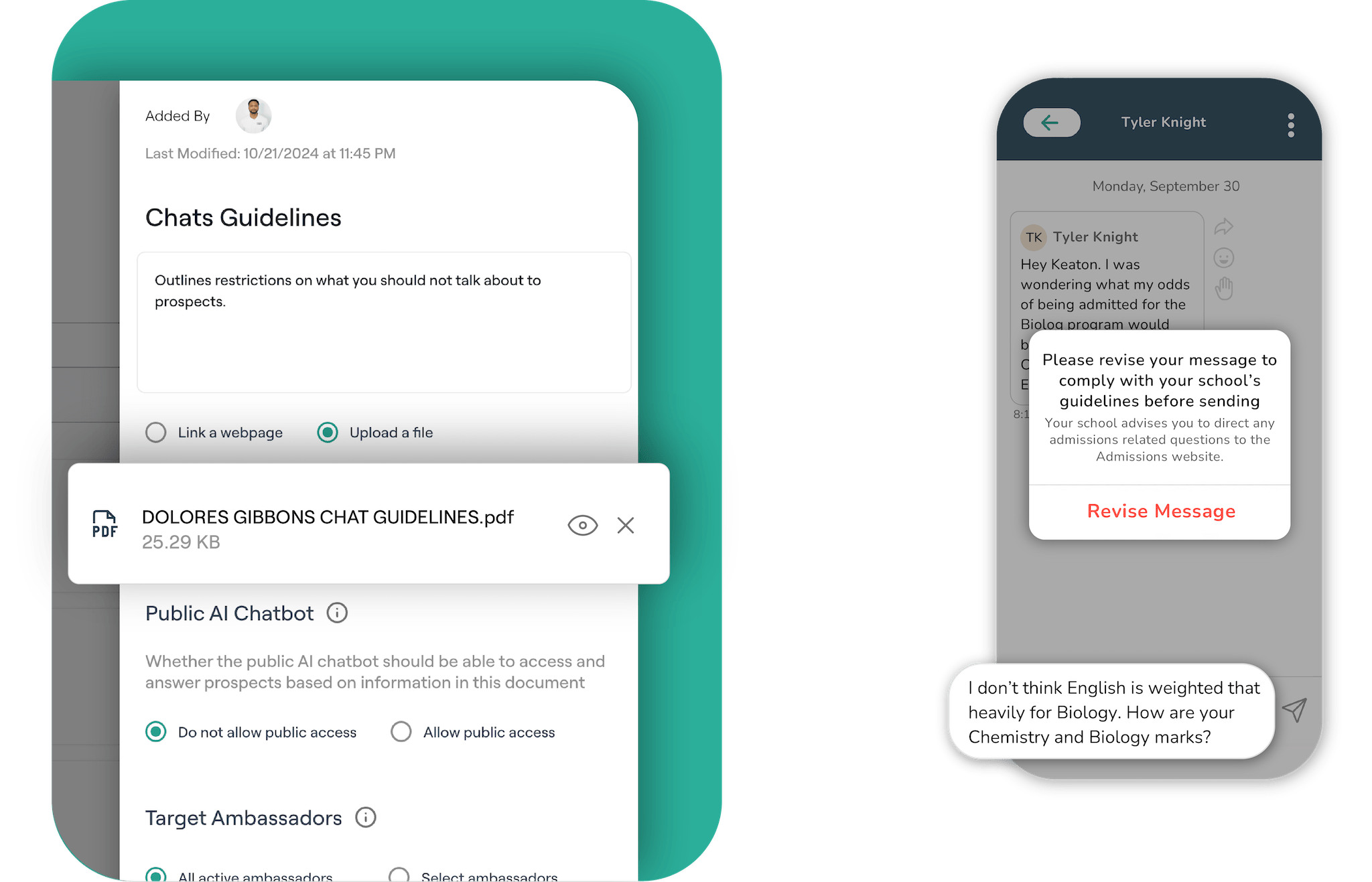
Moderation and staff review
Set blocked terms, review rules, and clear routes for staff follow-up. Automated checks support the process while people handle the conversation.
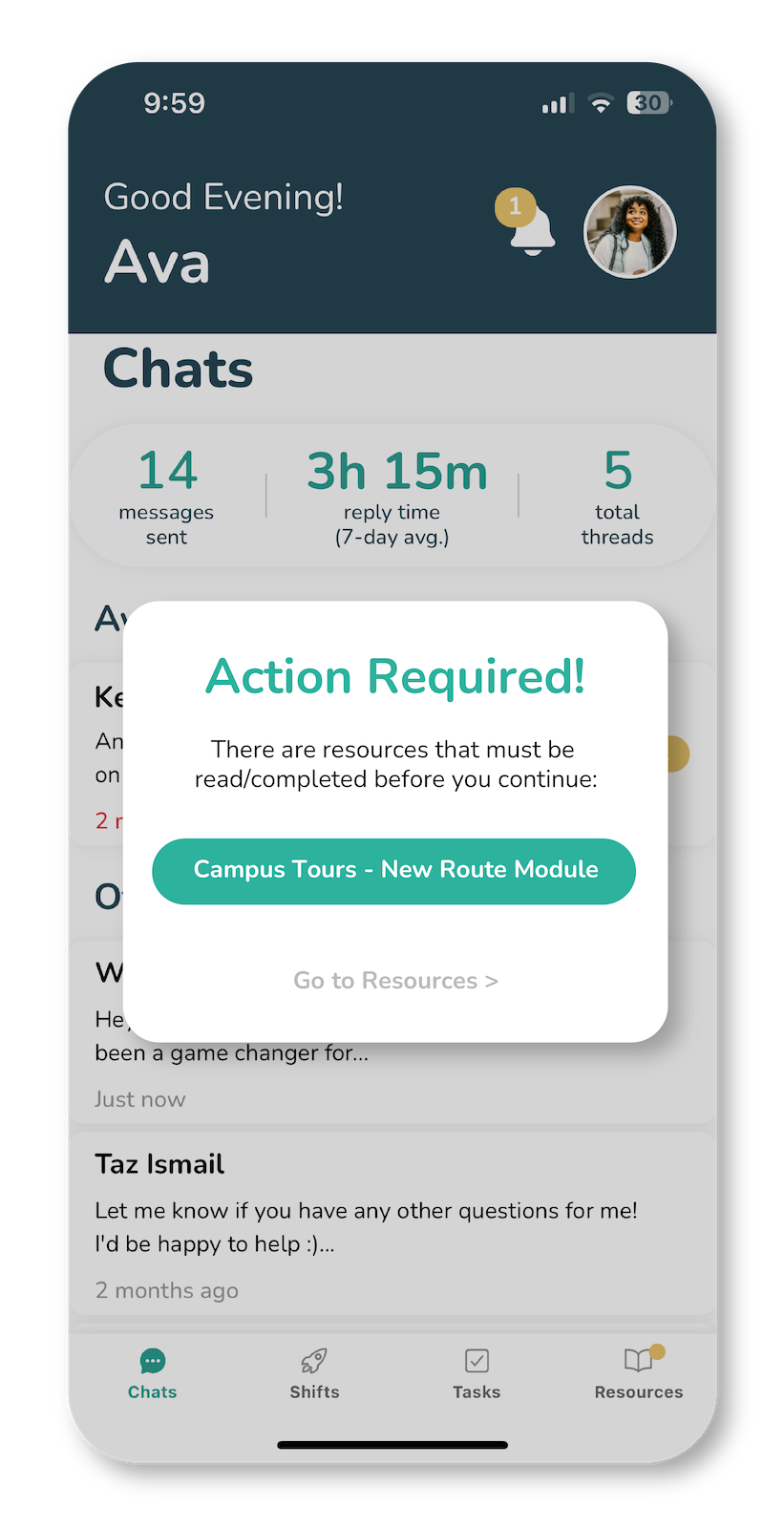
Connect preparation to ambassador access
Restrict ambassador access to chats or other activities if they are not yet caught up on communications or training.
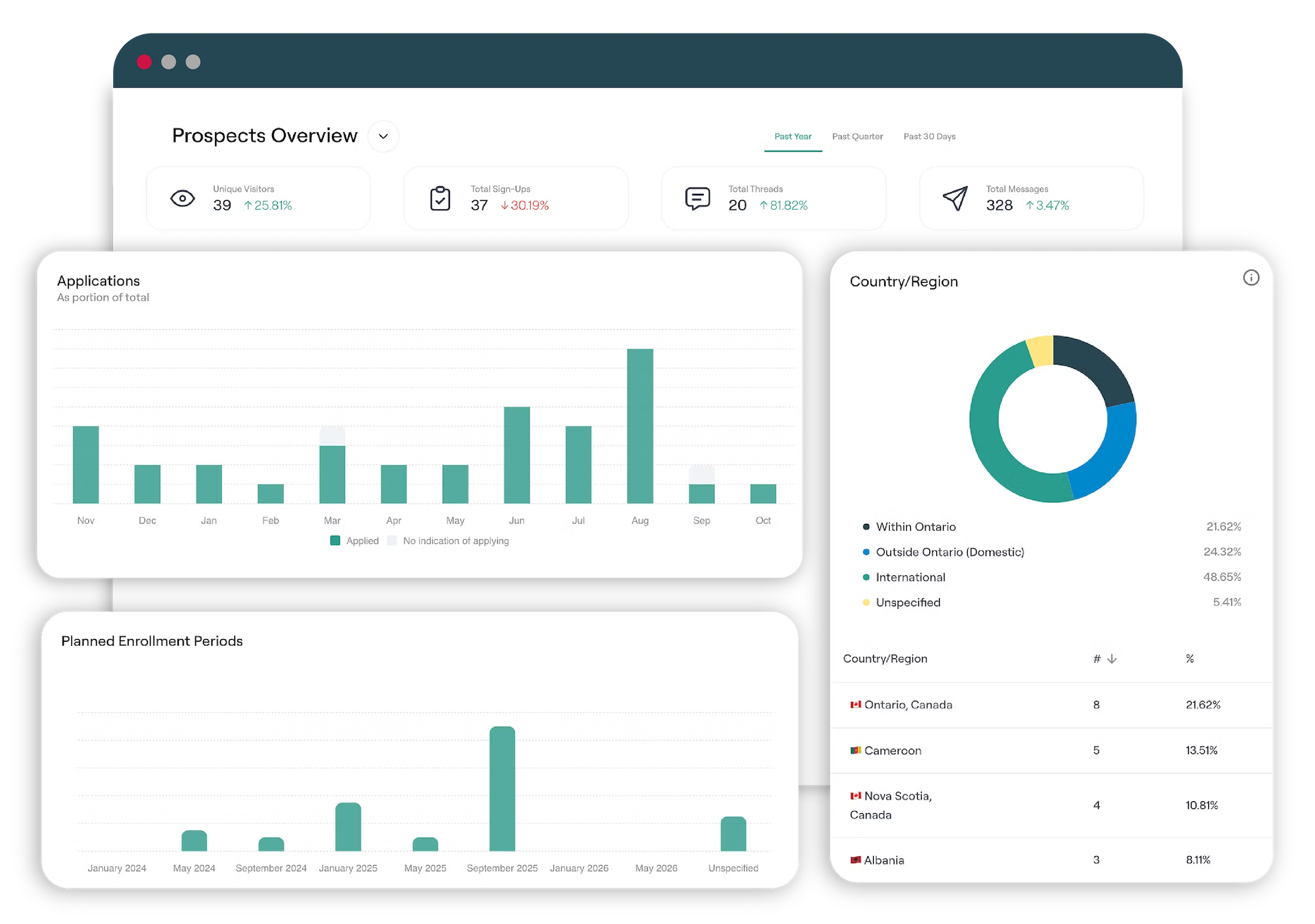
Collect the prospect details your team needs
Review prospect interests, questions, form responses, referrals, and conversation activity from the same record.
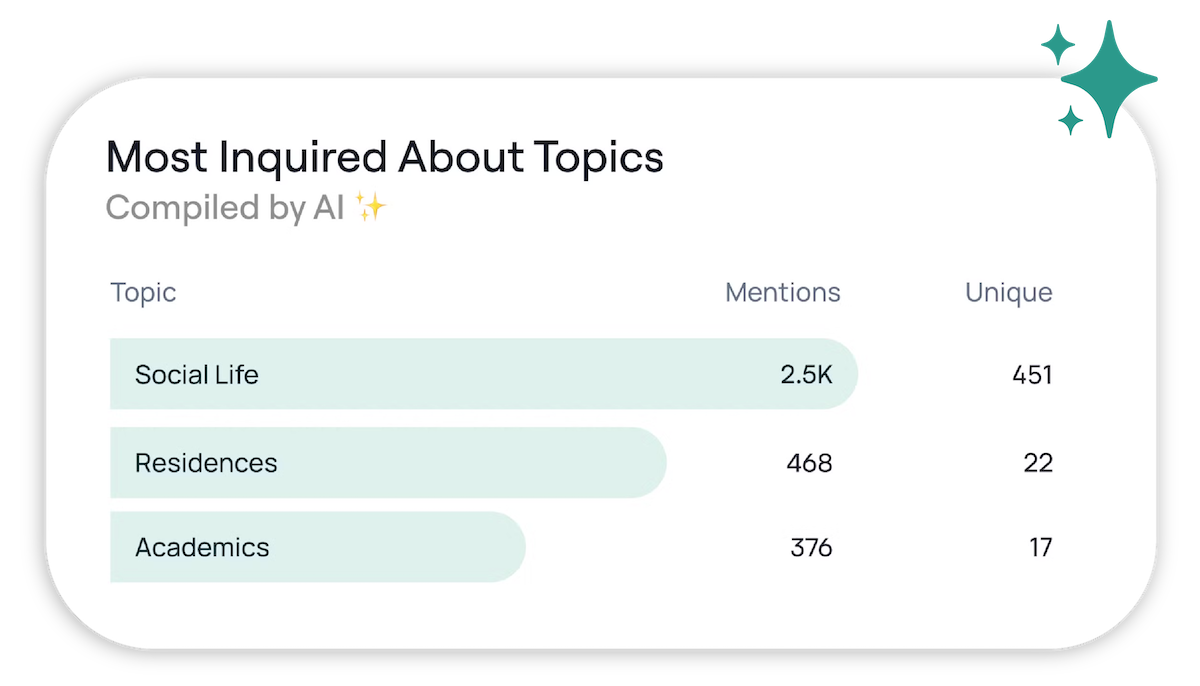
See the topics prospects ask about most
Keep prospect conversations connected to the wider ambassador program
Questions about ambassador chat
How can I ensure my ambassadors don't say anything inappropriate to prospects?
Schools can set blocked terms and moderation rules. Automated checks can flag or hold a message for staff review, and administrators can inspect the conversation history. Ambassadors still write the replies that prospects receive.
What happens if an ambassador is unavailable or unresponsive?
The conversation stays in the response queue until an ambassador or staff member can reply. Administrators can change coverage, reassign the thread, or respond through the staff workflow. CampusThreads does not use AI to speak on behalf of an ambassador.
How are ambassadors notified when a chat is initiated?
When a prospect initiates a chat, the assigned ambassador receives notifications through both email and push notifications on their mobile device. This ensures that ambassadors are promptly alerted and can respond in a timely manner, improving the overall experience for prospective students.
How can AI help without writing the ambassador’s reply?
AI can help an ambassador find approved school information and can flag a message for review. The ambassador decides what to say and sends the reply in their own voice.
How do prospects choose which ambassador to chat with?
Ambassadors provide key details about themselves, including their year of study, academic program, hometown/country, and personal interests. They can also select tags that you define, allowing them to highlight additional attributes such as extracurricular activities, residence life, or career aspirations. When a prospect initiates a chat, this information is displayed within the chat widget, helping them choose the ambassador who best aligns with their interests and background. This personalized approach fosters more meaningful connections and improves engagement between ambassadors and prospective students.