
Prospective students now see more generated summaries, copied rankings, auto-cut videos, and recycled advice during college search. Much of it repeats common facts. Students need answers about a particular school or program from people who know the place.
AI slop is low-effort generated material that repeats common claims with little source checking or local information.
Students ask about daily life. They want to know where commuters spend time between classes, how residence feels on a quiet evening, whether professors learn names, how clubs welcome new members, and who helps during a difficult week.
Questions continue after the student gets home and talks with family. A useful follow-up plan gives that student a direct route back to an ambassador who attended.
Live events are receiving more marketing budget
Freeman and The Harris Poll surveyed 506 U.S. marketing professionals in March 2026. Seventy-three percent planned to increase event spending over the following year. The sample covered several sectors. A university spending forecast requires sector-specific data. The published research also examined how people use live experiences when assessing organizations and products.
UCAS surveyed thousands of applicants placed for 2025 entry. It found that 79% attended an in-person open day, and 96% of those attendees found the experience useful. UCAS also reported that students and alumni helped 15% of respondents first discover their chosen university.
Niche reported that 83% of campus visitors enrolled at the college that gave them their best visit experience. The result came from Niche’s 2024 enrollment survey, and the study methods define its scope. The report includes scheduled admissions visits, preview days, school-group visits, program visits, independent visits, and summer experiences.
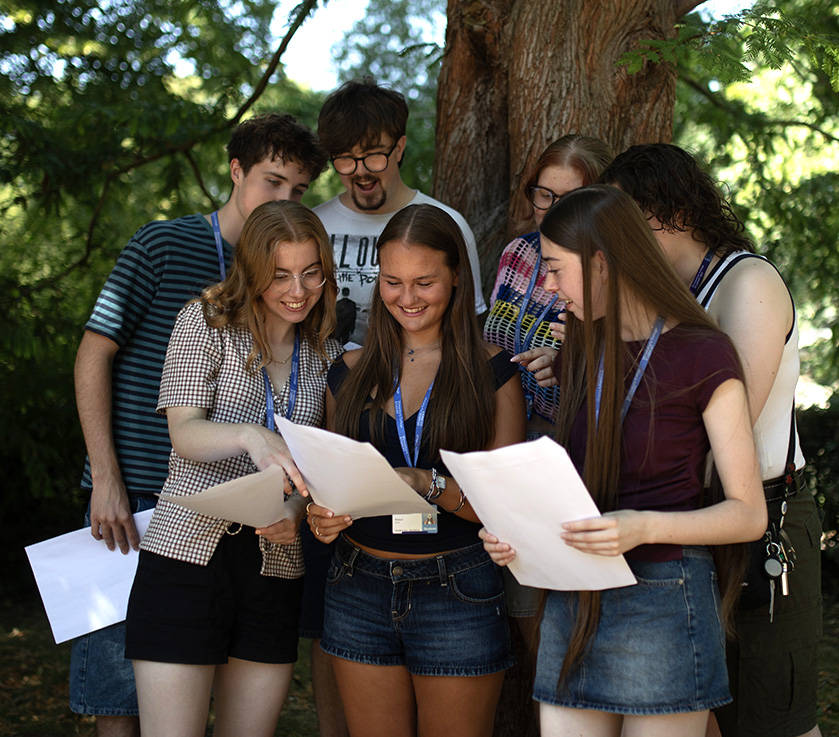
Higher-ed teams are running more kinds of events
Campus tours, open houses, and high-school visits remain common. Schools also run events around academic interests, student activities, and the questions that arise at different points in the decision process.
Program studios and lab days
Prospective students try course-related work, meet people enrolled in the program, and see the spaces used for teaching.
Robotics competitions and department events
A robotics competition, design challenge, coding event, writing workshop, or public lecture can introduce a department through a shared interest. Current students can explain what studying the subject involves after the event activity ends.
Admitted-student meetups
Small gatherings in a student’s home city help families ask about moving, travel, housing, and the first weeks on campus.
Residence and commuter sessions
Students can ask about transportation, food, safety procedures, study space, schedules, and social routines.
Alumni career conversations
Graduates can discuss their first roles after school, later career changes, further study, and the people who helped them find opportunities.
Student-club and hobby events
Club fairs tell part of the story. An event built around gaming, music, volunteering, photography, or outdoor activities gives prospective students time with people who share an interest.
Family and supporter sessions
Parents, guardians, and other supporters ask detailed questions about cost, services, safety, travel, and communication with the institution.
Summer previews and bridge programs
Longer programs let students spend time on campus, meet possible classmates, and learn parts of the daily routine before enrollment.
Each format adds work for the team running it. Staff need to assign people, prepare ambassadors, share current information, confirm accessibility details, manage event materials, plan follow-up, and record what happened.
Current students and alumni add details from lived experience
Current students can describe an ordinary week in the program, how they chose courses, what happened at their first club meeting, and how they get across campus during winter. Alumni bring experience from work, relocation, further study, and decisions made after graduation. Requirements and institutional policy remain with admissions staff.
Ambassadors need a clear brief before speaking for the school. The brief covers the purpose of the event, attendee context, schedule, assigned role, approved facts, room details, accessibility notes, staff contacts, and the process for sensitive questions. Staff members responsible for admissions decisions, immigration, financial aid, health, safety, and personal records handle those subjects.
The program also needs written rules for compensation and recognition. Preparation time, scheduled event work, travel, expenses, alumni participation, and later follow-up all take time. Staff record that work and apply the institution’s approved policy.
Give every event a follow-up route
Many post-event emails come from a general admissions address. An event-specific route lets students contact the ambassador from the residence table, robotics competition, alumni panel, or campus walk.
Create an event-specific page or ambassador chat link. The visitor can choose a relevant person and submit a question through a school-approved channel. Put the same link in the follow-up email and behind a QR code on cards, lanyard inserts, stickers, tote bags, or other material distributed at the event.
Use a label that explains the destination. “Ask a current student from today’s event” tells the visitor who will respond. The page displays the school name, the reason for collecting information, the people assigned to reply, and the way the conversation works.
Prepare the follow-up link before the event
- Create an event-specific destination. Use a stable page or ambassador chat link and store the event name in the campaign record.
- Assign the people who will respond. Include ambassadors who attended and other approved students or alumni who agreed to answer related questions.
- Ask for the information needed for routing. Collect program interest or applicant stage when the school uses either field to assign questions. Explain consent and data use before submission.
- Set message coverage. Decide who checks new conversations, when students can expect a reply, and which questions move to staff.
- Place the invitation where visitors will see it. Add the QR code to conversation tables, printed material, signs near the exit, and the follow-up email.
- Print a readable URL beside the code. This gives visitors another way to reach the page and helps when a camera or scanning tool is unavailable.
- Keep the event source attached. The assigned ambassador sees which event led to the question.
Use an event code or campaign parameter when measuring visits. The protected prospect record stores personal information. Printed URLs carry only the event or campaign identifier.
Sample copy for an event card
Front
Met a student ambassador today? You can ask another question after the event.
Back
Scan to contact a current student about campus life, your program, housing, clubs, student services, or something discussed today.
Trust line
Every ambassador reply is written and sent by a real person.
Accessible route
Print the full short URL beneath the QR code in readable type.
Track each card by event and version. Staff test the destination before printing and keep it available for the period stated on the card.
Staff need one record for the work behind an event
Running an event requires staff to coordinate availability, assignments, rooms, travel, training, materials, reported time, questions, and later conversations.
| Program work | What staff need to know | Record to keep |
|---|---|---|
| Recruitment | Who fits the role and has agreed to represent the institution | Application, review, profile, role, consent, and active status |
| Preparation | Who completed the current event training | Assigned modules, completion, acknowledgements, and readiness |
| Scheduling | Who is available and where coverage is thin | Availability, shift, assignment, conflict, check-in, and approved hours |
| Event resources | What each person needs before arrival | Brief, map, contacts, approved facts, accessibility notes, and assets |
| Follow-up | Who owns each conversation and when staff take over | Prospect source, assigned ambassador, response status, escalation, and outcome |
| Compensation | Which work was completed under the approved policy | Reported time, manager approval, expense, reward, payment status, and audit note |
| Event review | What visitors asked and what staff change | Event report, recurring questions, unresolved items, attendance, scans, and follow-up activity |
How CampusThreads handles the work and the follow-up conversation
CampusThreads lets a school create an event or shift, collect ambassador availability, assign people, distribute the brief, track training, send updates, review reported hours, and apply approved rewards or compensation records. Staff use the same ambassador program for tours, outreach, campus visits, tasks, and prospect conversations.
A school can share a direct ambassador link in email or place it behind a QR code on event material. Prospective students view school-approved profiles and start a conversation with a relevant ambassador. A named ambassador writes and sends every reply. Staff can see conversation status and handle escalations through the school’s process.
The event source stays attached to the prospect record. Staff can review scans, new conversations, response time, referrals, and the next recorded step. Schools can pass approved prospect data into Slate or Salesforce through their configured process.
Related CampusThreads pages cover ambassador-to-prospect chat, campus visit operations, ambassador scheduling, and training and communication.
Review event results after follow-up begins
After the event, staff can review attendance and follow-up records before deciding what to change.
- Registration-to-attendance rate by event type and audience
- Ambassador staffing rate, late changes, and uncovered roles
- QR scans and short-link visits by placement
- Prospects who begin an ambassador conversation
- Time to first human reply and age of unresolved messages
- Questions that require staff follow-up or a new resource
- Approved ambassador hours, expenses, and cost per attendee
- Applications, deposits, registrations, or visits associated with the event under the institution’s attribution rules
Ambassador reports add context to those numbers by capturing questions beyond the registration form. Staff can use the reports when revising the event brief, changing the schedule, assigning a different mix of people, or preparing information requested by several visitors.
Research notes
- The Freeman Company, 2026 Belief Gap study. The Harris Poll conducted an online survey of 506 U.S. marketing professionals during March 2026.
- UCAS, 2025 end-of-cycle survey. UCAS surveyed thousands of applicants placed on a course for 2025 entry.
- Niche, 2024 enrollment survey. The campus-visit finding comes from Niche’s published report.
- Niche, January 2025 student survey. Nearly 2,000 current high-school juniors and seniors answered questions about college search habits, including AI-assisted research.
See the event workflow in CampusThreads
Bring a sample schedule, ambassador roster, follow-up plan, and printed material. During a CampusThreads walkthrough, the team can map assignments, preparation, human chat, reporting, and approved compensation to the school’s process.
Sara is a marketing intern at CampusThreads. She writes about student recruitment, event operations, and institutional communication.
